
Before you start
Have your PDF ready and check which kind of signature the recipient accepts. PDFCrab adds a visible electronic signature. It does not verify identity, issue a signing certificate, record a signing audit trail, or send requests to other signers.
Open your document in Sign PDF
Open Sign PDF, choose your PDF from your device, and select Open in editor. The signature dialog opens automatically. If you are already editing a document, choose Sign in the toolbar.
Use the page thumbnails to find the signature page. If the signature dialog is covering the document, cancel it, choose the page, and select Create signature in the Properties panel.
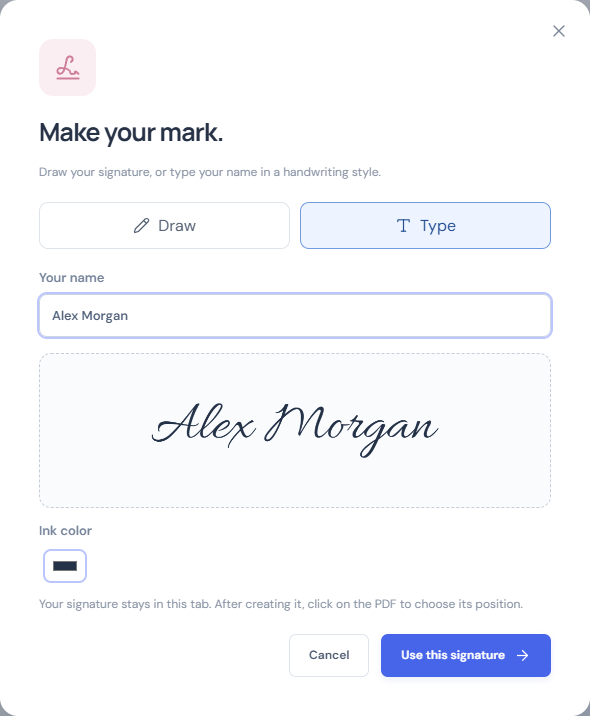
Draw your signature or type your name
Choose Draw and write in the signature pad using a mouse, pen, or finger. Undo stroke removes the last stroke; Clear gives you a fresh pad. You can change the ink color before creating the signature.
For a typed signature, choose Type and enter your name. The preview uses a handwriting font. Review the spelling and the appearance, then select Use this signature. Both methods create an image that will be embedded in your PDF.
Place and size the signature
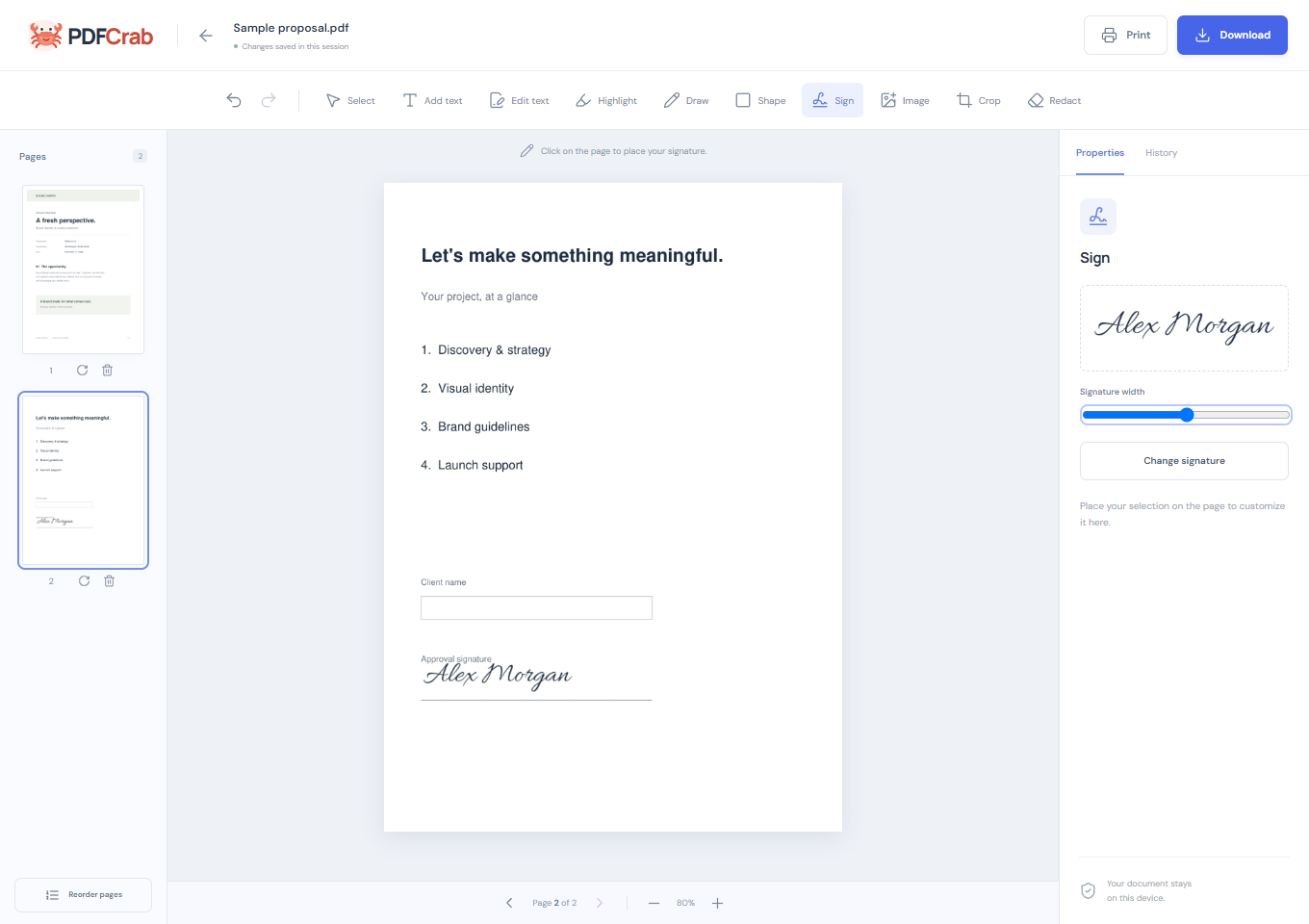
Click the signature line on the PDF to preview your signature there. Use Signature width in the Properties panel to make it larger or smaller. Click a different position on the page if you need to move it.
Choose Apply signature when the preview looks right. Placement is not saved to the document until you apply it. Use Undo if you need to remove an applied signature and try again.
To sign another page during the same editing session, select that page, choose Sign, click a position, and apply it again. Closing or reloading the tab clears the signature from the editor.
Download and check the signed copy
Select Download in the editor. Open the downloaded PDF and check the signature page before sending it to the recipient. The signature is included in the PDF itself, so the recipient does not need the handwriting font.
Your original file is unchanged. The editor keeps changes in the current tab until you download them. Always save a copy before closing or refreshing the page.
Common questions
Can I sign a scanned PDF?
Yes. You can place a signature on an image-based page without running OCR. Check that the scan is readable and the signature is positioned correctly.
Can someone else sign through a link?
PDFCrab does not send signing requests or collect signatures from other people. Download the result and use your usual method to share it.